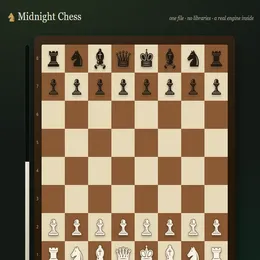
About Chess
Chess is a free online Strategy game that runs right in your browser. There is nothing to download and no account to create: press Play and you are in. It works on desktop, laptop, tablet and mobile.
Are you ready to immerse yourself in a game of mental mastery? This singleplayer chess game lets you experience the thrill of the world's most popular board game without any distractions or hassles. With its intuitive touch and mouse controls, you can move your pieces with ease and focus on your next strategic move. The elegant design and realistic sound effects add to the immersive experience, while the saved games feature lets you come back to your game later. Challenge yourself to become a grandmaster with this fun and addictive chess game!
How to play
Press the Play button to load the game. Most games are played with the mouse or by tapping the screen; keyboard games use the arrow keys, WASD or the space bar. Read the in-game instructions for the exact controls, and use the fullscreen button for the best experience.
Frequently asked questions
Is Chess free?+
Yes. Chess is completely free to play in your browser. You do not need to download anything or create an account.
Can I play Chess on my phone?+
Yes. Chess works in modern mobile browsers on iPhone, iPad and Android phones, as well as on Windows, Mac, Linux and Chromebook computers.
Is my progress saved?+
Scores and progress are stored locally in your browser on this device. Clearing your browser data will reset them.
Who made Chess?+
Chess is an open-source game by Tobias Müller (GPTGames), published under the MIT license.
Credits
Created by Tobias Müller (GPTGames). Open source under the MIT license. Source code ↗